Ultra-Low-Latency Wireless Karaoke for Mac & iPhone

Your phone is the mic.
Your Mac is the stage.

Turn any living room into an acoustic karaoke lounge. Pair up to two iPhones instantly over local Wi-Fi with studio-grade, sub-40ms voice transmission. No hardware microphones to buy, no dongles, zero clutter.

Developer ID Signed (Universal arm64 / x86_64) • macOS 15.1+ • 3.5 MB disk image
VocalK Home Karaoke — Host
Room open

Join the room

Scan with VocalK on your iPhone.

VocalK Session Pairing QR Code
MICROPHONES
🎤
Malik's iPhone
Live · +18 dB
🎤
Guest iPhone
Live · +12 dB
Vocal output 85%
Voice plays on
🔊 Sonos Arc (Living Room) ▼
♫
Spotify Companion Active
Bohemian Rhapsody — Queen
📢 Use built-in or wired speakers. Keep microphones away from the speakers.
iPhone Companion Mic
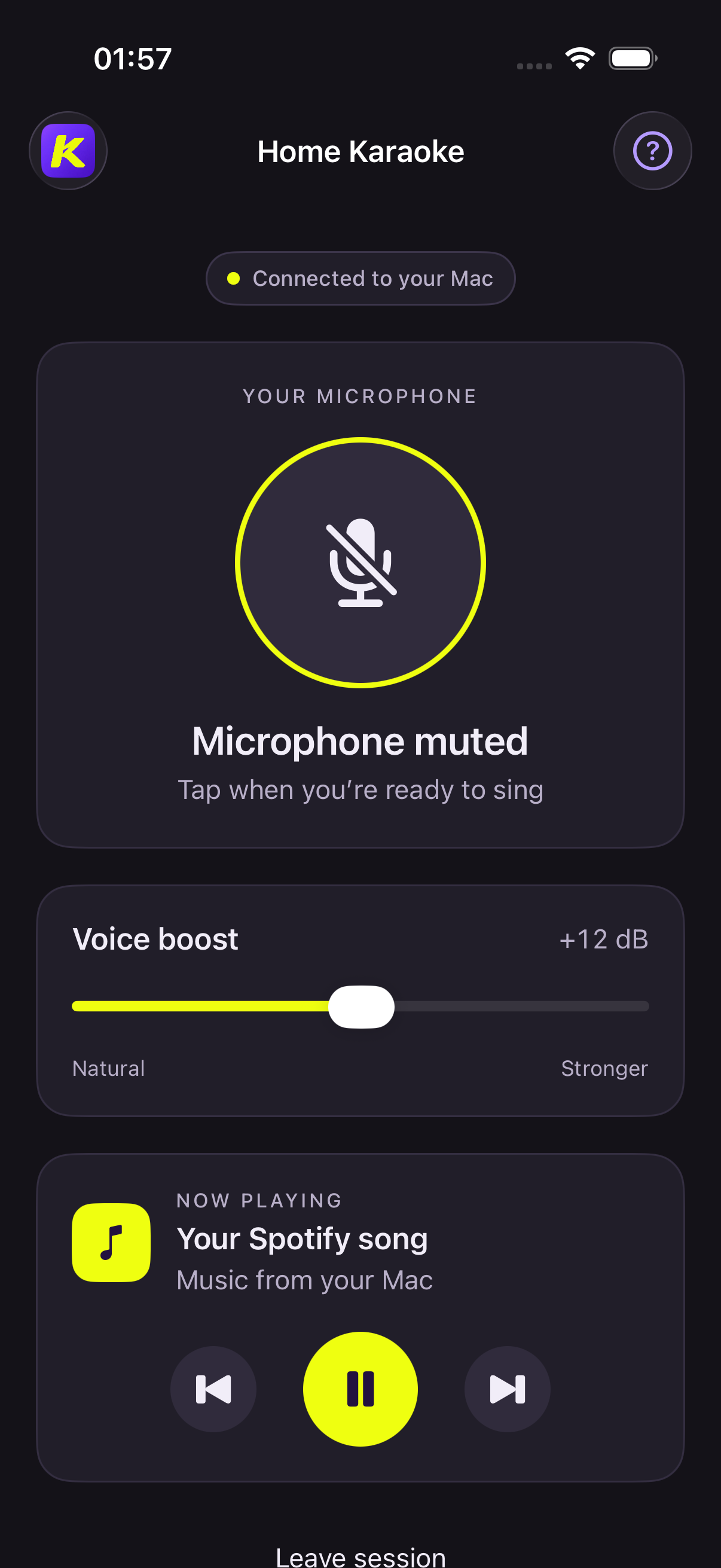
VocalK iPhone Singer Interface

Zero Hardware Hassle

Singing in three effortless steps

No expensive wireless receiver boxes, no batteries dying mid-chorus, and no cables across the floor.

1

Launch on Mac

Open VocalK on your Mac. It sets up your low-latency audio engine, bounds peak limiting, and shows a secure session QR code.

Bonjour discovery active
2

Scan with iPhone

Open the VocalK companion on your phone and scan the QR code. A DTLS handshake pairs them instantly over Wi-Fi.

2-Minute rotating session code
3

Sing & Control Spotify

Tap the large mic button to go live. Adjust your personal voice boost (+12 dB to +24 dB) and control Spotify tracks directly on your phone.

Sub-40ms real-time audio

Designed for Real Living Rooms

Crafted for music lovers & party hosts

Dual Simultaneous Singers

Two singers can pair at the same time. Each singer has independent volume gain, mute control, and bounded jitter buffers so harmonies never drop.

In-Mic Spotify Controls

Singers can pause, play, or skip songs directly from their phone screen without walking back to the computer or grabbing a track controller.

Smart Speaker Routing

"Voice plays on" selector remembers your home theater or AUX speakers. If unplugged, voice smoothly falls back to MacBook speakers without crash.

Digital Peak Limiter

High-energy choruses won't blow your speakers. Built-in brickwall limiter absorbs sudden shouting peaks while preserving musical warmth.

100% Private & Local

No cloud servers, no account logins, and no audio recording. All microphone data stays strictly on your personal Wi-Fi network.

Mic Placement Guidance

First-use onboard screens coach singers on holding the iPhone's bottom microphone properly to avoid muffled sound or hand rustle.

VocalK App Icon

Download VocalK for Mac

Free download. Includes the signed Universal Mac application and drag-and-drop installer disk image.

Download VocalK.dmg (3.5 MB)
SHA-256 Package Checksum:
cc6b6a63f841c96e9b07ce008411c55eac76fda92ce0aea85686be3a5693618d
Verify in Terminal: shasum -a 256 VocalK.dmg
Also available as Home-Karaoke.dmg for compatibility.

Frequently Asked Questions

Do I need to buy any dedicated microphones or audio mixers? ▼

No! That is the main problem VocalK eliminates. Any iPhone (or two iPhones) becomes your wireless microphone. Your Mac hosts the session, processes the voice, bounds the peaks, and outputs sound to your room speakers or TV.

How does VocalK keep latency under 40 milliseconds? ▼

Standard AirPlay and Bluetooth route audio through large system buffers that create 150–250ms of lag. VocalK uses direct, local-network DTLS UDP streaming with preallocated C circular buffers and immediate sink playback, eliminating buffering delay entirely.

How do singers connect to the Mac? ▼

Make sure both your Mac and iPhones are connected to the same Wi-Fi. Launch VocalK on your Mac, open the iPhone companion app, and scan the QR code. You can also type in the 6-digit session PIN manually.

Does it work with Spotify and other music players? ▼

Yes! VocalK has native Apple Events integration with Spotify for Mac. Singers can control playback (play, pause, next track) and see real-time song title and artist information directly on their phone screen.

Does any audio leave my local network? ▼

Never. VocalK transmits microphone audio purely peer-to-peer over your local home Wi-Fi with encrypted DTLS keys. No sound or telemetry is ever uploaded to the cloud or any third-party server.

↑ Back to top